Nov 13, Kathmandu: Facebook Messenger is the perfect platform to talk to people you know or don't know. But because of the problem faced by users since everyone sends messages.
Facebook has provided the option of message requests. Messages sent by users who are not friends on Facebook go to the message request. Some of the messages received in the message request may be very important.
However, there are some messages that we don't necessarily have to reply to. Some people send message requests even if it is to show that they have talked to you on Facebook. However, in order to accept the message request from the messenger, you have to write something and give a reply.
Today we are giving information about how to accept message requests without replying to the message. For that, you have to download the Facebook Lite application from the play store. Do this to accept message requests without replying from the Lite application.
However, in order to accept the message request from the messenger, you have to write something and give a reply. Today we are giving information about how to accept message requests without replying to the message.
For that, you have to download the Facebook Lite application from the play store. Do this to accept message requests without replying from the Lite application.
- First download the Facebook Lite app.


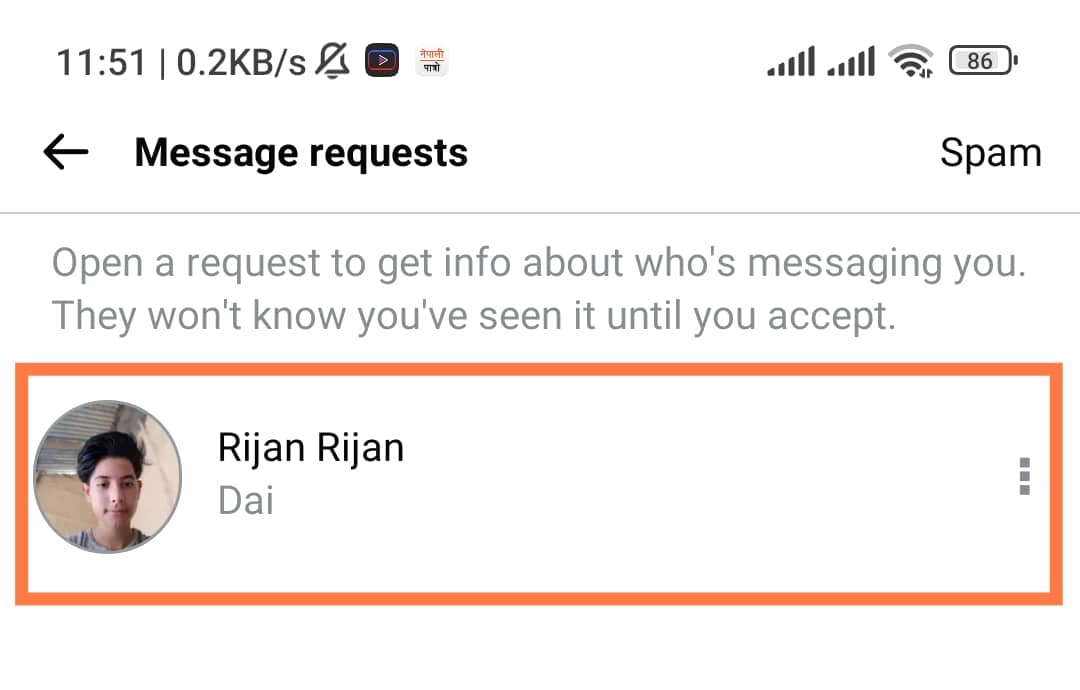
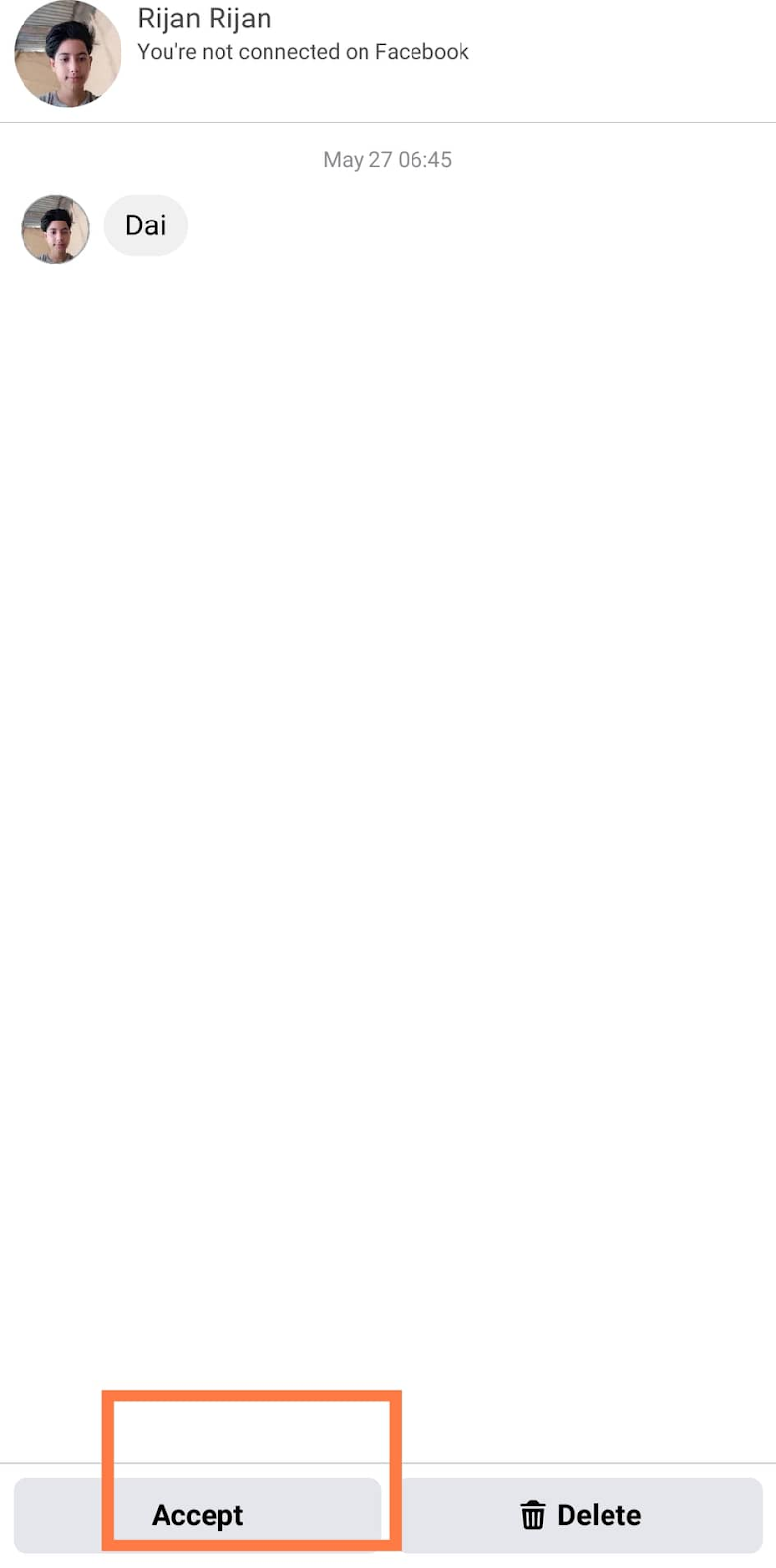

- Then you can accept the message request by tapping on the accept option below.
The Facebook Lite app is only available for Android users. Facebook removed the app from the app store only last year. As the size of the Lite app is small, you can use this app as an alternative.















 Indian Rupee
 U.S. Dollar
 European Euro
 UK Pound Sterling
 Swiss Franc
 Australian Dollar
 Canadian Dollar
 Singapore Dollar
 Japanese Yen
 Chinese Yuan
 Saudi Arabian Riyal
 Qatari Riyal
 Thai Baht
 UAE Dirham
 Malaysian Ringgit
 South Korean Won
 Swedish Kroner
 Danish Kroner
 Hong Kong Dollar
 Kuwaity Dinar
 Bahrain Dinar