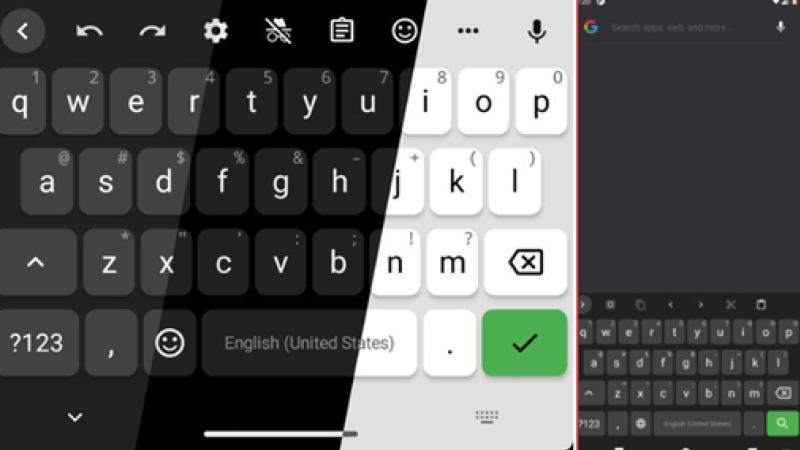
Nov 02, Kathmandu - Many Android devices come with Gboard set as the default keyboard, which is deeply integrated with Google's services. While convenient, this integration raises privacy concerns among users regarding data collection and security.
To address these issues, several open-source Android keyboards have been developed that claim to prioritize user privacy. Here, we discuss four prominent open-source keyboards that offer similar functionality to Gboard without compromising privacy.
1. AnySoftKeyboard
Regarded as the closest open-source alternative to Gboard, AnySoftKeyboard emphasizes privacy, customization, and functionality. It supports multiple languages through external language packs and various keyboard layouts such as QWERTY, Dvorak, and AZERTY.
Similar to Gboard, it offers voice typing and gesture input. Users can customize gestures or disable them if preferred. The keyboard also features an Incognito mode, activated by long-pressing the delete key, which temporarily stops storing typed data and disables suggestions and autocorrect.
Additionally, it supports multiple themes with customization options and offers per-app theme settings that automatically change the keyboard's color based on the current application.
2. HeliBoard
HeliBoard is a popular open-source Android keyboard forked from OpenBoard, itself based on AOSP. It is focused on privacy and offers extensive customization options.
One of its main features is full offline operation, eliminating the need for internet permissions. This makes it suitable for users who want to keep their typing data entirely on their device. However, this offline mode means suggestions and spell check features are unavailable by default, though local dictionaries can be added to mitigate this.
Swipe typing is not enabled out-of-the-box and requires manual addition of gesture libraries. The keyboard also supports one-handed and split layouts, along with customizable clipboard history and themes.
3. Simple Keyboard
For users seeking a minimal, lightweight, and privacy-focused keyboard, Simple Keyboard is an excellent choice. Its size is less than 1MB, and it requires only basic permissions, such as vibration.
Unlike other keyboards, it does not include features like emojis, GIFs, spell check, or swipe typing. It offers limited customization options, mainly themes, and allows users to adjust the keyboard height and toggle certain elements on or off.
4. FlorisBoard
FlorisBoard is a modern-looking open-source keyboard that emphasizes privacy while providing a user-friendly experience. It offers customization options for themes and layouts, balancing privacy with usability.
Supporting multiple languages, split and one-handed modes, and various layouts, FlorisBoard also includes an Incognito mode that can be enabled from settings, temporarily preventing new words from being learned. It features an integrated clipboard manager, gesture support, and quick language switching.
Currently in beta, FlorisBoard may contain some bugs or missing features, such as word suggestions and spell check, which are expected to be added in future updates.

















 Indian Rupee
 U.S. Dollar
 European Euro
 UK Pound Sterling
 Swiss Franc
 Australian Dollar
 Canadian Dollar
 Singapore Dollar
 Japanese Yen
 Chinese Yuan
 Saudi Arabian Riyal
 Qatari Riyal
 Thai Baht
 UAE Dirham
 Malaysian Ringgit
 South Korean Won
 Swedish Kroner
 Danish Kroner
 Hong Kong Dollar
 Kuwaity Dinar
 Bahrain Dinar